

🏆 App of the Month
March 2026 · MacLife
🐝 Already 7,500+ downloads

Turning every book into an accessible reading experience.

ReadBee gives every child access to real books.

7,500+ Families
4.9★ App Store Rating
100+ Schools nationwide
🏆
Lesson completed! +20 honey points
📖
New story! The Bee & the Flower
5-day streak Keep it up, Emma!
Andi
ReadBee
💬
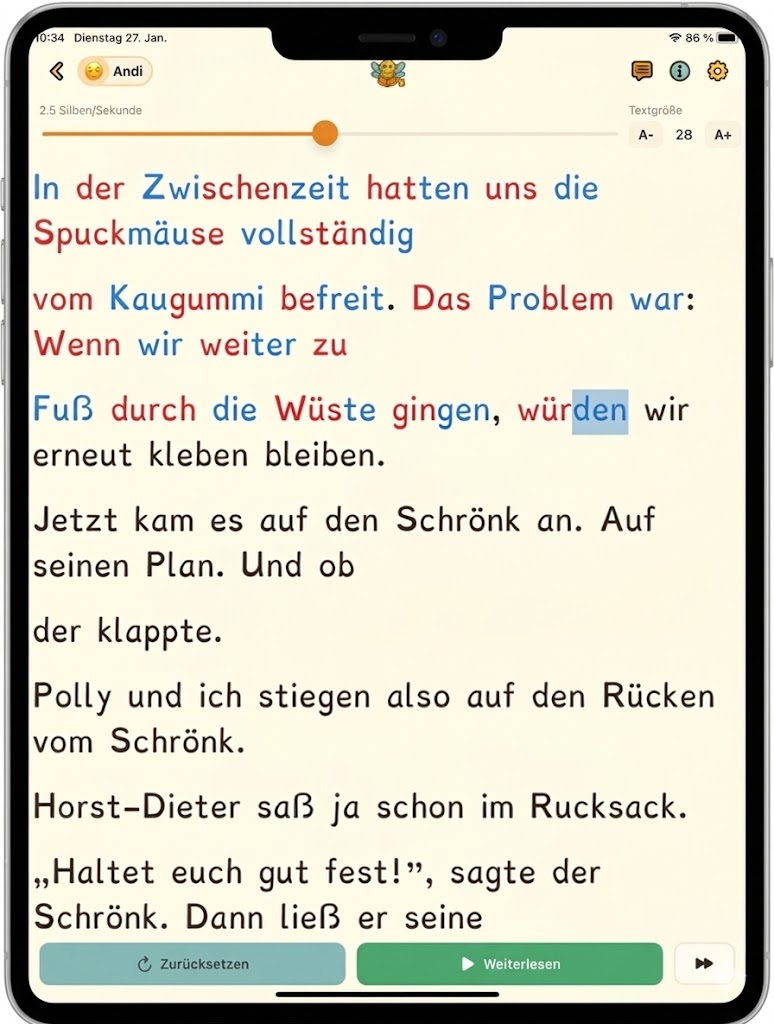
2.5 syllables/sec
A- 28 A+

Meanwhile,

we had to-

tally removed

the bubblegum

from our hair.

The problem was:

if we kept

walking through the

desert, we'd get

stuck to-gether again.

Making reading accessible —
for every child

From the first syllable to the first chapter — ReadBee adapts to every child, not the other way around.

📷

Scan any book

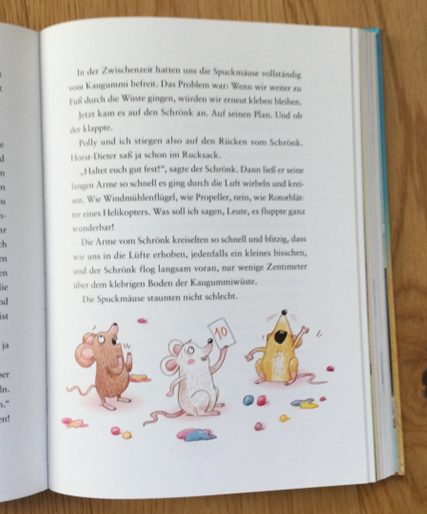
Simply point the camera at any printed book or worksheet — ReadBee instantly turns the text into a more accessible reading experience.

🌈

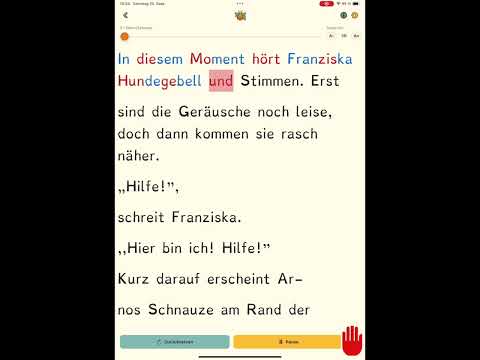
Syllable Highlighting

Syllables are color-coded — either always visible or revealed only after reading, for focused practice.

🔤

Dyslexia-friendly Font

A specially designed, flat typeface reduces letter confusion and makes reading noticeably easier for children with dyslexia.

👁️

Eye Guidance

A gentle cursor guides the child syllable by syllable through the text and prevents skipping lines — for more focus and reading flow.

🧠

AI Comprehension Questions

After every text, the AI automatically generates 3–6 multiple-choice questions with instant feedback — no preparation needed from parents or teachers.

🏫

Teacher Portal

Teachers provide texts, and students log in with a QR code — no account needed, no hurdles.

Start reading in three steps

No setup, no sign-up — just open a book and go.

01
Pick any book
Pick any book

No special reading material needed — just open a favorite book, a textbook, or a worksheet.

02
Scan the page with the camera
Scan

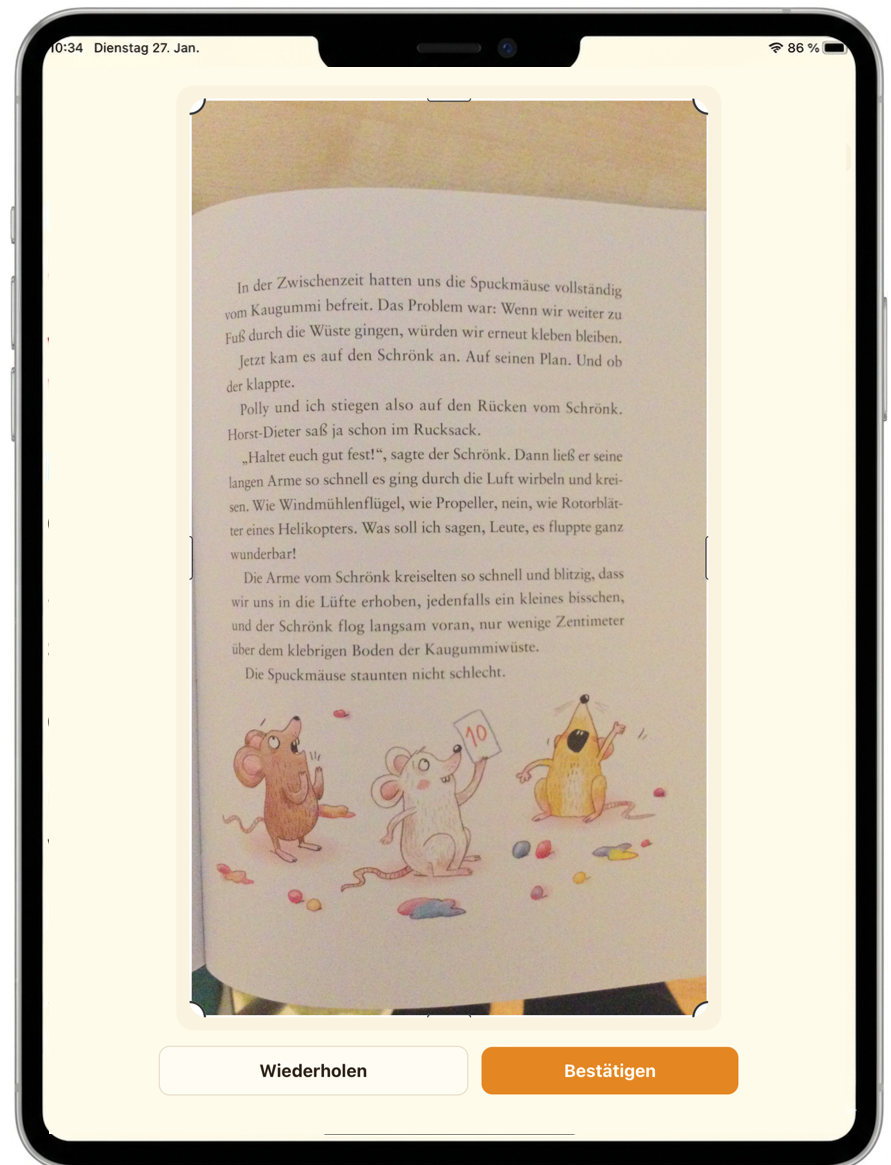
Point the camera at the page — ReadBee recognizes the text instantly and prepares it.

03
Read and understand
Read & understand

The cursor guides the way through the text. Afterwards, automatically generated questions check comprehension — no preparation needed.

See for yourself how quickly any text becomes an interactive reading session.

ReadBee demo video
Father reading with his daughter on a tablet

Every book becomes reading practice

Whether it's a favorite book, school reading, or a worksheet — ReadBee makes every text accessible. Children read at their own pace, and the app adapts.

  • Adjust font size, syllables, and reading speed individually
  • Eye guidance keeps focus even on long texts
  • AI comprehension questions after every text — automatic, no preparation needed
  • Repeated reading at increasing speed for maximum training effect
Teacher with students and tablets in the classroom

Individual reading practice — right in the classroom

Teachers provide texts, children read with their own settings. No account, no hassle — just scan the QR code and start.

  • Prepare and release texts via the teacher portal
  • Students log in via QR code — no email address needed
  • Every child reads the same text with an individually adapted display
  • Already in use at 100+ schools in Germany and Spain

What families say about ReadBee

4.9 out of 5 stars · 57 ratings on the App Store

★★★★★

"Thanks to this app, reading frustration is a thing of the past. It's wonderful to see the joy of reading return. The comprehension check through the questions at the end is brilliant. A huge support for anyone with dyslexia."

👨
W.1982
Parent · App Store, Jan 2026
★★★★★

"My daughter reads faster with ReadBee and enjoys reading her own (!) books more because of it. Brilliant! Thanks for building this!"

👩
mamamit♥️
Mom · App Store, Jan 2026
★★★★★

"The app can scan any text with the camera and convert it into syllable script. That's an absolute game-changer! Now the choice of texts is so much wider, and even individual passages from the Harry Potter books can finally be read independently."

👩
marta müller
Parent · App Store, Oct 2025

Everything parents & teachers ask

Quick answers — so you can get started right away.

Does ReadBee help with dyslexia?
Yes. ReadBee was specifically designed for children with dyslexia and reading difficulties: a dyslexia-friendly font, syllable highlighting, and gentle eye guidance reduce the most common reading hurdles. Many parents report noticeable progress within just a few weeks of using ReadBee.
What age is ReadBee suitable for?
ReadBee works best for children of primary-school age — from around 6 years old. The app is used in grades 1 through 6, both at home and in the classroom. Since font size, syllable highlighting, and reading speed can all be adjusted freely, the app adapts to each child's stage of development.
Is ReadBee free?
ReadBee is available for free on the App Store and Google Play Store. You can download the app and get started right away — no subscription required to try it out.
Does ReadBee work with any book?
Yes. Simply point the camera at any printed page — ReadBee recognizes the text instantly and prepares it. This works with textbooks, children's books, library books, and worksheets. No special reading material needed.
What data is stored about children?
ReadBee doesn't store any personal data about children. Children don't need their own account and don't provide an email address. The app is GDPR-compliant and safe from a data-protection standpoint — including for use at schools.
Can ReadBee be used at school?
Yes. ReadBee is already used in over 100 schools in Germany and Spain and is officially recommended by the State Media Center of Baden-Württemberg. Teachers get access to their own portal, where they can prepare texts and start reading sessions. Students log in via QR code — no account of their own needed.
Does ReadBee also work on Android?
Yes. ReadBee is available on both the Apple App Store (iOS) and Google Play Store (Android). Both versions offer the same full feature set.
How is ReadBee different from Antolin?
Antolin offers quizzes for a fixed catalog of selected books. ReadBee works with any text — you just scan the page, no matter which book. ReadBee also offers dyslexia support through syllable highlighting, a dyslexia-friendly font, and eye guidance, which Antolin doesn't have.
Do I need internet for ReadBee?
An internet connection is required to scan texts and generate the AI comprehension questions. Reading texts that have already been scanned is also possible offline.
How many schools use ReadBee?
Over 100 schools in Germany and Spain already use ReadBee in the classroom — plus three media centers that officially recommend the app. If you'd like to try ReadBee at your school, you can request a free 2-month trial access right away.

Individual reading practice
for every class

ReadBee fits easily into everyday school life — no technical effort, no data-privacy concerns.

01
Deploy the app

Distribute ReadBee to iPads via Apple School Manager or your central app management system.

02
Name an administrator

Send us your contact person's email address — we'll send the portal invitation and a step-by-step guide.

03
Activate teachers

The administrator activates additional teachers through the portal. Each teacher gets their own login and QR code.

04
Get started

Students log in via QR code — no password, no account of their own. Prepare texts, start a reading session.

"ReadBee is excellently suited for targeted, individual support and can be an important building block in developing reading skills."

🏛️
State Media Center of Baden-Württemberg
Official recommendation for classroom use · Dec 2025

"Big praise for the AI-generated reading comprehension questions. That's truly a fantastic feature! The same goes for the adjustable pace and syllable highlighting."

👨‍🏫
L. G.
Teacher · Martinschule Bamberg
🔒

ReadBee uses no personal data and is safe from a data-protection standpoint. When we work together, you'll receive the corresponding data processing agreement.

It's this easy

1
Fill out the form

School name and contact person — done. Takes 2 minutes.

2
Sign the data processing agreement digitally

You'll immediately receive the agreement by email to sign.

3
Get access

We set up the school account and get back to you within one business day.

Request Trial Access →

2 months free · No phone call · Simple online registration

Already used at these schools

Montessorischule Salzkotten uses ReadBee
Österfeldschule Stuttgart uses ReadBee
Vogelsangschule Stuttgart uses ReadBee
Grundschule Bonfeldt uses ReadBee
August-Bebel-Schule Wetzlar uses ReadBee
SBBZ Bodelschwingh Göppingen uses ReadBee
Hasenbergschule Stuttgart uses ReadBee
FESN Calw uses ReadBee
Kardinal-van-Galen Schule Nordwalde uses ReadBee
Martinschule Bamberg uses ReadBee
Grundschule Gräfenau uses ReadBee
La Salle Santa Coloma uses ReadBee

How ReadBee came to be

An app built for one boy — now helping hundreds of children.

"

I can't read this!

Ignasi's son opens the book — adventure, dragons, exactly his kind of thing — and throws it in the corner. He's in second grade, freshly diagnosed with dyslexia.

More than a year of therapy, syllable cards, word exercises. The methods were sound, the therapist dedicated, the teacher supportive. And yet: the texts his son was supposed to practice with simply didn't interest him. Reading stayed a struggle. The books stayed closed.

At some point, Ignasi asked himself a different question. Not: Why does my son find this so hard? But: what if the problem isn't him, but the material?

In late 2024, using AI tools, he builds a first version of the app. Rough, unfinished, but working. He scans pages, prepares the texts, puts the tablet in front of his son. And his son starts reading.

When the teacher reports the enormous progress six weeks later and sees the app, her comment is clear: "This is exactly what we're missing — in school, in therapy!" Together with Andreas, Ignasi rebuilds the app from the ground up.

ReadBee has been available on the App Store since fall 2025. By now, over 100 schools and three media centers use the app — and Ignasi's son reads. Not because he has to, but because he wants to. The book with the dragons no longer sits untouched on the shelf.

Two dads, two engineers

Ignasi
Ignasi
Founder & Product

Father, software engineer, and co-founder of ReadBee. When his son was diagnosed with dyslexia in 2024, Ignasi built the first version of the app — not for the market, but for his own son. Today, ReadBee helps thousands of children.

Andreas
Andreas
Founder & Engineering

Father, software engineer with a PhD, and co-founder of ReadBee. With over ten years of experience in software development, Andreas builds the technical foundation — so every child can access books, regardless of their abilities.

Turning every book into an accessible reading experience.

Already trusted by over 7,500 families and 100+ schools — start for free, cancel anytime.

Start for free · No ads · Cancel anytime

Questions? We'd love to hear from you.

Whether you're a parent, teacher, or journalist — we reply personally.

👩‍👧
For Families
Questions about the app, features, or subscription
🏫
For Schools
Licenses, pilot projects & teacher portal
📰
Press
Interviews, materials & partnerships